Add it to your home screen and it opens full screen: no browser bars, one tap away, and everything stays signed in. Free, nothing to download from an app store.
Takes about five seconds.
- Tap the Share button in your browser
- Scroll down and choose “Add to Home Screen”
- Open GrowSomeFood from your home screen
- Open your browser’s menu
- Choose “Add to Home screen” or “Install app”
- Open GrowSomeFood from your home screen
Kitchen
Recipes
Simple dinners built around what a home garden actually grows.
with Taro
1 recipe
Taro and Chicken Nimono
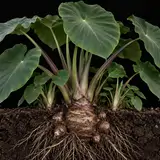
Taro and Chicken Nimono
The Japanese home simmer for satoimo: taro parboiled to lose its slipperiness, then cooked slowly with…
From the garden: Taro, Carrot, Green Onion
dairy-freeone pan